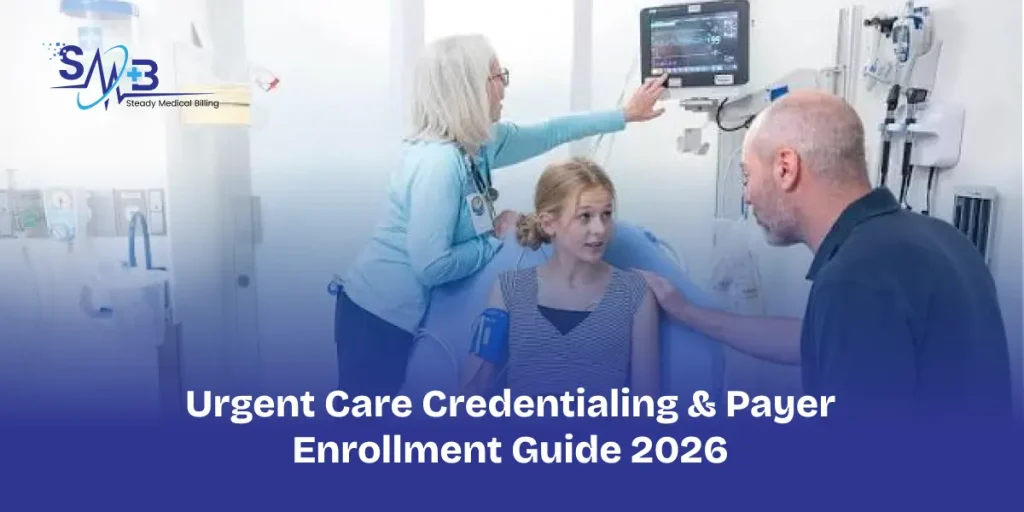
Urgent care clinics often employ physicians, nurse practitioners, physician assistants, and other clinicians across multiple shifts and locations. This makes urgent care credentialing more complex than a simple individual provider enrollment. Once enrolled, review our guide on how to avoid urgent care billing mistakes.
Each provider must be correctly connected to the right group, location, payer, and billing arrangement. A clinician can have an active license and still face billing problems if the payer’s records are incomplete or inaccurate.
This guide explains how urgent care clinics can manage provider credentialing, payer enrollment, group rosters, taxonomy information, and ongoing maintenance.
Why Urgent Care Credentialing Is Different
Urgent care practices often manage multiple provider types, locations, payer contracts, and employment arrangements at the same time. Part-time clinicians, locum providers, and frequent staff changes can make payer records difficult to maintain.
The key is to track individual providers and the organization separately while making sure their relationships remain accurate.
Individual vs. Organizational Enrollment
Urgent care enrollment has two connected sides: the individual clinician and the organization.
Individual Provider
The provider record typically includes the clinician’s NPI, license, specialty, taxonomy, malpractice coverage, education and work history, and CAQH information when required. Medicare enrollment may also apply.
Urgent Care Organization
The organization may have its own Type 2 NPI, tax ID, legal name, ownership information, locations, organizational taxonomy, payer contracts, and enrollment records. CMS distinguishes between individual providers, non-physician practitioners, and organizations in Medicare enrollment. Both sides must be correctly connected before billing.
NP and PA Credentialing in Urgent Care
Nurse practitioners and physician assistants are common in urgent care settings and may require individual credentialing and payer enrollment.
CMS identifies NPs and PAs as non-physician practitioners who can enroll in Medicare. For Medicare, applicable providers generally obtain an NPI and complete enrollment through PECOS or the appropriate CMS-855 process.
| Provider Information | Why It Matters |
| NPI | Identifies the individual provider |
| License | Confirms authority to practice |
| Taxonomy | Identifies provider classification |
| Group NPI | Connects the provider to the organization |
| TIN | Identifies the billing entity |
| Location | Identifies where services are provided |
| Payer | Determines network participation |
| Effective date | Determines when participation begins |
Keeping these fields consistent across payer and internal records helps prevent enrollment and billing discrepancies.
Urgent Care Taxonomy Codes and Enrollment
There is no single universal urgent care taxonomy code that applies to every provider or organization. Taxonomy identifies a provider’s classification and specialization, so the appropriate code depends on what is actually being enrolled.
Before submitting an application, confirm the provider type, specialty, applicable taxonomy, and payer requirements. The same taxonomy should also be reviewed across relevant enrollment records to avoid mismatches.
The Urgent Care Credentialing Workflow: Step-by-step Guide
A structured workflow is easier to manage than handling applications through separate emails and spreadsheets.
Stage 1: Provider Intake
Start with a complete provider file containing the information needed for credentialing and enrollment. This usually includes the provider’s legal name, NPI, license, specialty, taxonomy, CAQH ID when applicable, malpractice coverage, education, employment history, and practice locations.
Stage 2: Primary Source Verification
Verify credentials against the appropriate primary sources. Depending on the provider and payer, this may include state licensing boards, education institutions, certification organizations, NPI records, and malpractice documentation.
Stage 3: Payer Contracting
Identify the health plans that matter to the clinic based on its patient population and payer mix. Commercial plans, Medicare, Medicaid, Medicare Advantage, and regional networks may each have different contracting and enrollment requirements.
Stage 4: Payer Enrollment
Submit the appropriate enrollment application for the individual provider and organization. For Medicare, CMS directs providers and suppliers to obtain an NPI and complete enrollment through PECOS, with the applicable Medicare Administrative Contractor processing the application.
Stage 5: Group Rostering
Once credentialing is completed, verify that the provider is correctly linked to the urgent care group and applicable locations.
The roster should connect the provider, NPI, group, TIN, location, payer, specialty, and effective date.
Stage 6: Billing Validation
Before the provider begins billing, compare the payer’s enrollment information with the clinic’s billing system. Confirm that the billing entity, rendering provider, location, group affiliation, and effective date are aligned.
Multi-Provider Group Rostering: The Hidden Urgent Care Problem
Group rostering is easy to overlook when a clinic has multiple providers and locations. For example, a provider may be fully credentialed and active with a payer but missing from the payer’s roster for one clinic location. Internally, the provider may appear ready to bill, while the payer has a different record.
A centralized roster can help identify these discrepancies.
| Provider | NPI | Group | Location | Payer | Status | Effective Date |
| Provider A | Verified | Group A | Location 1 | Payer A | Active | Confirmed |
| Provider B | Verified | Group A | Location 2 | Payer A | Pending | Pending |
| Provider C | Verified | Group A | Location 1 | Payer B | Active | Confirmed |
Review the roster whenever a provider joins, leaves, changes locations, changes specialty, or is added to a new payer.
Commercial Insurance Enrollment for Urgent Care Clinics
Commercial payer enrollment is often payer-specific. A clinic may have an organizational contract while individual providers still require credentialing and group affiliation.
Before submitting an application, confirm three things:
- Who is contracting? Individual provider, group, facility, or organization.
- Who is billing? Individual NPI, group NPI, or facility NPI.
- Where are services provided? One location, multiple locations, or another approved setting.
These details determine how the provider and organization should be represented in the payer’s records.
Medicare Enrollment for Urgent Care Providers
Medicare enrollment should be managed separately from commercial credentialing. The general process involves obtaining an NPI, completing the appropriate enrollment through PECOS, paying an application fee when applicable, and working with the assigned MAC.
Enrollment maintenance is also important. Changes involving ownership, practice locations, and other enrollment information may require updates within specific CMS timeframes.
Ordering and Referring Considerations
Urgent care clinics should also verify that providers are properly enrolled when their work involves Medicare ordering or referring requirements.
CMS maintains an ordering and referring dataset containing eligible physicians and non-physician practitioners with current Medicare enrollment records. The dataset is updated regularly, so enrollment status should be treated as an ongoing record rather than a one-time check.
Credentialing Locum and Part-Time Urgent Care Providers
Locum and part-time providers can create additional enrollment challenges because their employment and billing arrangements may differ from those of permanent staff.
Before a provider begins seeing patients, confirm the employer, billing entity, group affiliation, locations, payer requirements, and existing credentialing relationships. A provider who is credentialed with another organization is not automatically credentialed with your urgent care group.
Common Urgent Care Credentialing Mistakes
1. Credentialing the Provider but Not the Group
A provider may be active with a payer but not correctly connected to the urgent care organization’s group record.
2. Ignoring Location Enrollment
A payer may have one clinic location on file while the provider is treating patients at another location that has not been added.
3. Using the Wrong Taxonomy
An incorrect taxonomy can create enrollment and provider-matching problems.
4. Assuming CAQH Replaces Payer Enrollment
CAQH can support credentialing, but it does not replace every payer’s contracting, enrollment, or roster requirements.
5. Billing Before the Effective Date
Submitting an application does not necessarily mean the provider is already participating. Confirm the effective date before treating the provider as in-network.
6. Forgetting Provider Terminations
When a provider leaves the practice, update applicable payer records and remove outdated group or location affiliations.
Urgent Care Credentialing Tracking Template
A centralized tracker gives the credentialing team one source of truth.
| Field | Example |
| Provider | NP John Smith |
| NPI | Verified |
| Specialty | Nurse Practitioner |
| Taxonomy | Verified |
| Group NPI | Group A |
| Location | Main Clinic |
| Payer | Commercial Payer |
| Application Date | 09/02/2026 |
| Status | In Review |
| Missing Documents | None |
| Effective Date | Pending |
| Follow-Up Date | 09/16/2026 |
The tracker should be updated whenever an application changes status or a provider’s enrollment information changes.
How to Reduce Urgent Care Enrollment Delays: 5 best ways to reduce delays
The best way to reduce delays is to standardize the process before applications are submitted.
- Build a Master Provider File: Keep provider credentials, payer information, group affiliations, and locations in one controlled record.
- Standardize Provider Intake: Use the same intake process for every new provider so required information is collected before credentialing begins.
- Audit Payer Rosters: Compare payer rosters with internal provider records to identify missing locations, outdated affiliations, and inactive providers.
- Track Expiration Dates: Monitor licenses, malpractice coverage, certifications, CAQH attestations when applicable, and payer recredentialing requirements.
- Verify Before Billing: Make payer verification part of provider onboarding. Do not rely only on internal records to determine whether a provider is ready to bill.
Urgent Care Credentialing Checklist
Before a provider begins billing, confirm:
- NPI is verified
- License and credentials are current
- Taxonomy is correct
- CAQH is updated when applicable
- Group affiliation is complete
- Payer approval is received
- Location is enrolled when required
- Effective date is confirmed
- Billing system and roster are updated
Conclusion
Urgent care credentialing requires more than submitting provider applications. Clinics must keep individual enrollment, group affiliations, locations, payer contracts, taxonomy information, and effective dates aligned.
A centralized credentialing tracker helps prevent small enrollment discrepancies from becoming billing problems. For multi-provider urgent care clinics, consistent roster management and verification before billing are essential to maintaining accurate payer participation.
If your organization needs help with provider enrollment, payer applications, group affiliations, roster updates, and ongoing credentialing, professional urgent care credentialing services can help manage the process.
FAQs
They may need individual credentialing and payer enrollment depending on the payer and billing arrangement. Medicare includes NPs and PAs among non-physician practitioners who can enroll.
An organization that is required to obtain an NPI may have an organizational NPI separate from the NPIs assigned to individual clinicians. The appropriate NPI structure depends on the entity and billing arrangement.
No single taxonomy code applies to every urgent care provider or organization. The appropriate code depends on the actual provider type and classification being enrolled.
Yes, but payer requirements should be reviewed for each location. The provider may need to be added to the payer’s records for additional service locations.
Review rosters whenever providers join, leave, relocate, or change payer participation. Periodic audits can also identify discrepancies before they affect billing.